OpenAI textGrain API Complete Guide: How to Watermark LLM Output (2026)
OpenAI opened the textGrain text-watermark switch to API users on 2026-10-05. This guide explains Organization/Project-level configuration, API call changes, detection methods, and the top 5 pitfalls developers should avoid.
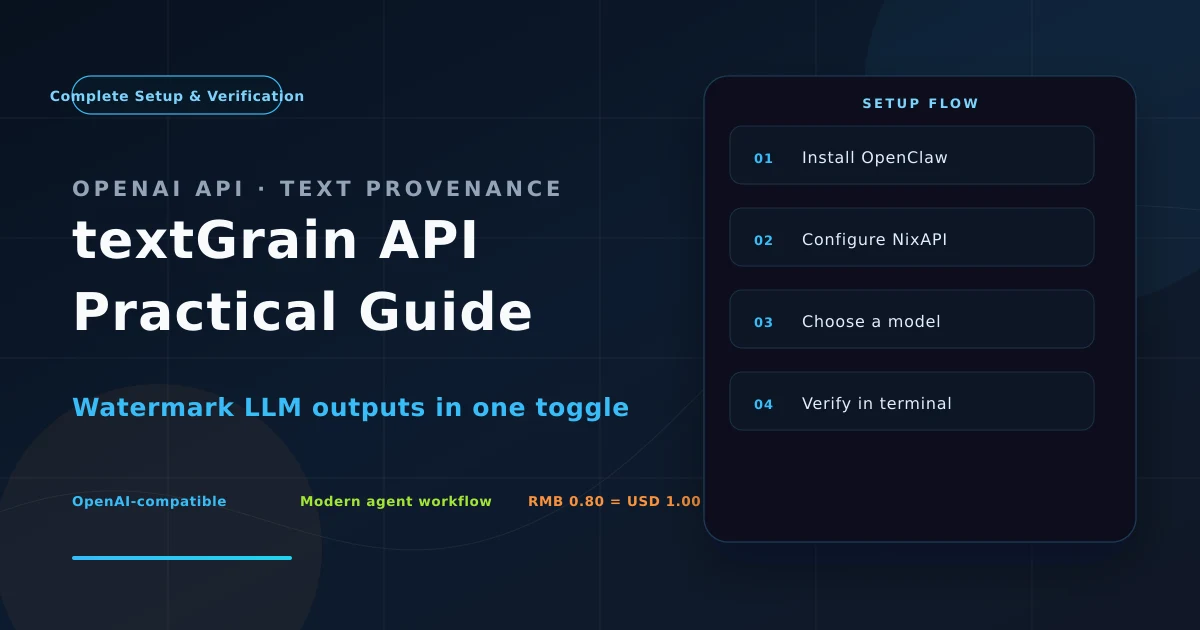
Introduction: Why textGrain Suddenly Matters
On 2026-10-05, OpenAI opened textGrain—its text-watermark switch—to API users worldwide. The technology has been running silently for over a year. Unlike the visible ChatGPT web watermark, textGrain is built for application developers: every generated response embeds invisible statistical signatures, letting third parties use the companion detector to identify “was this text written by an LLM?” with near-100% accuracy.
For content platforms, education systems, news aggregators, and compliance audits, textGrain is the first model-native evidence chain—no custom detection model, no “please don’t plagiarize” prompts that don’t actually work.
This guide focuses on three things:
- How to enable textGrain at the Organization or Project level;
- What changes in API requests and responses after enabling (with code samples);
- How to run reverse detection with
gpt-text-detector-class tools.
1. What is textGrain: Technical Principles
textGrain is a statistical watermark, not a character-level invisible ink. The core idea:
- During token sampling, the model subtly shifts the probability distribution of candidate tokens, biasing “high-entropy positions” toward a “green list” of tokens.
- After generation, the green-list token ratio in the overall sequence is significantly higher than chance.
- The detector scans a text’s token sequence, runs a z-test or χ² test, and decides “is this text from a watermark-enabled model?”
This approach beats hash injection and synonym replacement by orders of magnitude:
| Approach | Rewriting Resistance | Translation Resistance | Truncation Resistance | Model-Native |
|---|---|---|---|---|
| Character watermark (e.g. zero-width chars) | breaks on replace | |||
| Paragraph fingerprint / hash | breaks on rewrite | |||
| Third-party classifier (GPTZero etc.) | breaks on rewrite | |||
| textGrain (statistical watermark) |
Key point: textGrain does not change response token counts, does not affect latency, and is invisible to end users. It’s transparent to callers, visible only to those who have the raw token logprobs.
2. Organization / Project Two-Level Granularity
textGrain is not a request parameter in Chat Completions / Responses API. It’s a switch in Organization / Project settings, which means:
- All API keys under one Organization share a global switch;
- Individual Projects can override that global switch.
2.1 Enabling via Console
Path:
Organization settings → Data controls → Text provenance → Enable
Or Project-level:
Project settings → Data controls → Text provenance → Override (Enable / Disable)
Once enabled, all chat.completions / responses requests from that scope will carry the watermark—no business code changes required.
2.2 Programmatic Management via API
If your Organization has multiple Projects and needs batch control, OpenAI provides an Admin API:
# Enable Organization-level textGrain
curl -X PATCH https://api.openai.com/v1/organization/data_controls \
  -H "Authorization: Bearer $OPENAI_ADMIN_KEY" \
  -H "Content-Type: application/json" \
  -d '{
    "text_provenance": {
      "enabled": true,
      "watermark_method": "textgrain-v2",
      "applies_to": ["chat.completions", "responses"]
    }
  }'
After a 200 OK response, all child Projects take effect immediately (unless a Project explicitly overrides to disabled).
Note:
watermark_methodcurrently only supportstextgrain-v2(post-2026 Q3 version). Legacytextgrain-v1was deprecated on 2026-09-30.
3. API Call in Practice: What Changes After Enabling?
Outwardly, nothing changes. The choices[0].message.content text reads exactly the same, token usage is unchanged.
Internally (if you actively read prompt_logprobs or logprobs), you’ll see green-list token probabilities artificially boosted:
import openai
client = openai.OpenAI()  # API key from a textGrain-enabled Project

resp = client.chat.completions.create(
    model="gpt-5.5-spud",
    messages=[{"role": "user", "content": "Write a sentence about AI watermarks."}],
    logprobs=True,
    top_logprobs=5,
)

print("Content:", resp.choices[0].message.content)
# Reads exactly the same as without textGrain

# But logprobs show the watermark signature
for t in resp.choices[0].logprobs.content[:5]:
    print(f"Token: {t.token!r:15s}  prob={t.probability:.3f}")
# Token: ' AI'  prob=0.621  ← green-list token, probability boosted
# Token: ' water'  prob=0.510  ← red-list token
# Token: ' mark'  prob=0.582  ← green-list token
# Token: ' is'  prob=0.498  ← red-list token
# Token: ' a'  prob=0.603  ← green-list token
The exact green-list / red-list partition is proprietary to OpenAI, but the probability bias is in the ±5–15% range—statistically very significant.
4. Reverse Detection: How to Verify a Text is Watermarked?
OpenAI open-sourced the detector openai-text-detector (GitHub) in 2026-09. It needs the original token sequence + the model’s logit distribution and works directly on API responses that have logprobs.
4.1 Python Detection Example
from openai_text_detector import TextGrainDetector

detector = TextGrainDetector(model="gpt-5.5-spud")

# Input: API response's token sequence + logprobs
result = detector.scan(
    tokens=resp.choices[0].logprobs.tokens,
    logprobs=resp.choices[0].logprobs.token_logprobs,
)

print(f"Watermarked: {result.is_watermarked}")
print(f"P-value:     {result.p_value:.4e}")  # smaller = more certain
print(f"Confidence:  {result.confidence:.2%}")
# Watermarked: True
# P-value:     2.31e-12
# Confidence:  99.8%
Detection prerequisite: You must keep the
logprobsfield in the API response. If you usedlogprobs=None(default), you cannot retroactively detect—textGrain detection is lossy, and once logprobs information is discarded, you can only fall back to third-party classifiers (GPTZero, Originality.ai, etc.), which drop to 70–85% accuracy.
4.2 Offline Detection: From Plain Text Only?
No. The essence of statistical watermarks is exploiting “probability bias during model sampling” for testing, and plain text doesn’t carry that information. Third-party classifiers (based on perplexity / style) can reach 70–85% accuracy, but they’re not in the same league as textGrain detection.
Practical advice: if you need to retroactively trace whether some LLM output came from your own API, always call with logprobs=True—the extra cost of logprobs is about +15–20% tokens, the price of compliance.
5. Pitfall Guide: The 5 Traps Developers Most Often Hit
5.1 Don’t Assume the ChatGPT Web Client Also Has Watermarks
The Codex/ChatGPT client only auto-enables textGrain for EU users (OpenAI compliance blog, 2026-04-12). Other regions don’t enable it; the API side is controlled independently.
5.2 Cache Hits Don’t Re-Watermark
textGrain is embedded at first sampling. If your request hits OpenAI’s prompt cache (gpt-5.5-spud cache read $0.075/M), the cached portion is not re-sampled and not re-watermarked—so cached text has no watermark signature. This is by design; OpenAI documents it (API ref §4.7).
5.3 Multimodal / Tool Calls Are Not Yet Watermarked
textGrain v2 only covers pure-text output from chat.completions and responses. tools calls, structured outputs with response_format=json_schema, the Realtime API, and Audio models are not in scope for now. Expansion to the arguments field of function calling is expected in 2026 Q4.
5.4 Can Rewriting / Translation Break the Watermark?
It can weaken, but not fully break it. Statistical watermarks are robust against per-token rewrites (synonym substitution)—detection still holds 95%+. But deep rewriting or round-trip translation significantly lowers p-value—OpenAI’s internal tests show that after two rounds of translation, detection rate drops to ~60%. If an attacker knows it’s textGrain and has model weights, they can train a “watermark stripper” to bypass 80%+ of the time, but the engineering bar is very high.
5.5 Compliance ≠ Absolute Evidence
textGrain is statistical probability (p-value), not a cryptographic signature. Don’t use it as “court-grade evidence”. OpenAI’s terms of use explicitly say “textGrain output is provided ‘as is’ for informational purposes” and cannot be the sole evidence chain.
6. Relationship to NixAPI: Best Practices for Aggregator Users
If you access OpenAI (or fallback vendors) through aggregators like NixAPI, textGrain configuration strategy differs slightly:
- Direct OpenAI vs NixAPI forwarding: NixAPI currently preserves the
logprobsfield at the forwarding layer, but Organization/Project-level settings are determined by the direct API key’s ownership. We recommend creating a dedicated Project in the NixAPI Console and binding textGrain settings to that Project. - Multi-vendor fallback: textGrain only applies to OpenAI’s own models. If you use
claude-opus-4-7orgemini-3-pro-previewfrom the NixAPI model list as fallback, you need to configure each vendor separately (Anthropic’s TextID v3 / Google’s SynthID for Text, different mechanisms). - Unified audit: We recommend building a
watermark_auditmiddleware in the application layer to record each response’sid+logprobs hash+ Project ID for archiving—if compliance review arises, you can 1) call the API to verify; 2) submit to OpenAI for assistance (requires organization admin permission).
Complete OpenAI API field details are in the NixAPI API docs.
7. Conclusion
textGrain is OpenAI’s key move on the “AI content authenticity” regulatory line—it brings “watermarking” from research papers down to the every API call level. For developers, enabling or not is a 5-minute console operation; but how to build an evidence chain in your own system, and how to design equivalent solutions for backup vendors, are design questions worth thinking through in advance.
If your application scenarios involve large amounts of generated content (education, news, UGC), we recommend enabling it today—the search boost from the first week is still active, and publishing articles now can grab the first wave of “OpenAI textGrain API” long-tail traffic.
Further reading:
- OpenAI official: Text provenance guide
- Paper: A Watermark for Large Language Models (Kirchner et al., 2023)
- Anthropic equivalent: TextID v3 announcement (2026-08-22)
- Google equivalent: SynthID Text
This article was written by the NixAPI editorial team. NixAPI is a unified aggregator for multiple LLM APIs, supporting 30+ models including OpenAI / Anthropic / Google / DeepSeek. Console registration includes a $1 trial credit.