Coze Third-Party API Quick Start: Call Model APIs with a Custom Plugin
Create an HTTP API plugin in Coze, call a third-party chat completions endpoint, and let your bot use GPT, Claude, Gemini, and other models.
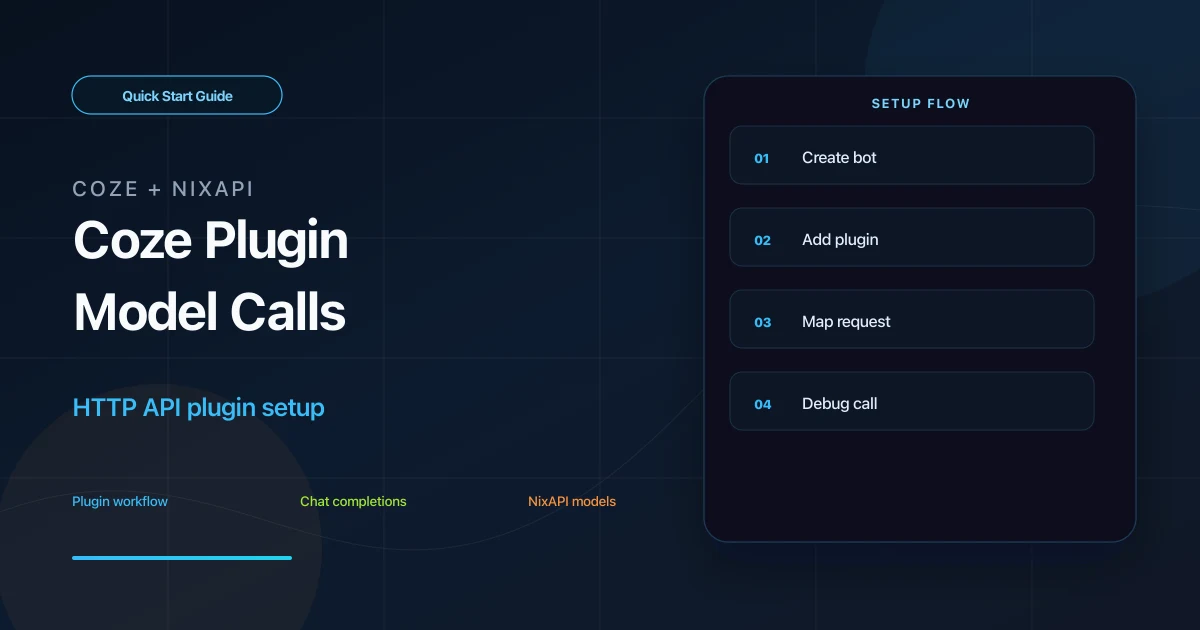
Coze can call external APIs through custom HTTP API plugins. Because NixAPI provides an OpenAI-compatible chat/completions endpoint, you can create a Coze plugin that sends user input to a model and returns the result to your bot.
This approach is useful when you want custom models, dynamic routing, or unified API Key management inside Coze.
Prerequisites
Prepare:
- A Coze account
- A NixAPI API Key
- A Coze bot that will use the plugin
Create the API Key in the NixAPI console. Model list and prices are available on the NixAPI pricing page.
Step 1: Create a Coze Bot
Log in to Coze and create a bot.
Fill in the basics:
- Name: for example,
AI Content Assistant - Description: for example,
Generate answers, summaries, and copy from user input - Default model: choose any available placeholder model for now
Save the bot. You do not need to publish it yet.
Step 2: Create a Custom HTTP API Plugin
Open the plugin management page and create a custom plugin. Choose HTTP API as the plugin type.
Use:
| Field | Value |
|---|---|
| Plugin name | NixAPI Model Call |
| Method | POST |
| URL | https://nixapi.com/v1/chat/completions |
| Auth | Add Bearer Token in headers |
The URL must include the full API path:
https://nixapi.com/v1/chat/completions
This is not just the Base URL, because Coze plugins call a concrete HTTP endpoint.
Step 3: Configure Headers
Add:
{
  "Authorization": "Bearer nix-your-api-key",
  "Content-Type": "application/json"
}
Replace nix-your-api-key with your real key. There must be a space after Bearer.
Step 4: Define Input Parameters
Start with a minimal plugin that accepts only the user prompt:
[
  {
    "name": "prompt",
    "type": "string",
    "required": true,
    "description": "User input"
  }
]
You can add a model parameter later if you want dynamic model selection.
Step 5: Configure the Request Body
Use:
{
  "model": "claude-sonnet-4-20250514",
  "messages": [
    {
      "role": "user",
      "content": "{{input.prompt}}"
    }
  ]
}
Model examples:
claude-sonnet-4-20250514gpt-5.4gemini-3-pro-previewdeepseek-v4minimax-m3
Use the NixAPI supported models page as the source of truth.
Step 6: Debug the Plugin
In the plugin test panel, enter:
prompt = Write a short opening line for a Monday team meeting.
If a model response is returned, the plugin can call NixAPI successfully.
If Coze reports timeout, 401, or 404, check:
- URL is
https://nixapi.com/v1/chat/completions - Header contains
Authorization: Bearer nix-your-api-key - API Key comes from the NixAPI console
- Model name exists
Step 7: Attach the Plugin to Your Bot
Return to the bot editor and add the plugin as a tool.
You can trigger it when:
- The user includes a keyword such as
ask AI - A workflow node needs generated content
- Knowledge retrieval results need to be summarized by a model
During debugging, describe clearly when the bot should call the plugin, otherwise it may not choose the tool.
Dynamic Model Switching
To let one plugin support multiple models, add a model input:
[
  {
    "name": "prompt",
    "type": "string",
    "required": true,
    "description": "User input"
  },
  {
    "name": "model",
    "type": "string",
    "required": false,
    "description": "NixAPI model ID"
  }
]
Then use:
{
  "model": "{{input.model|default('claude-sonnet-4-20250514')}}",
  "messages": [
    {
      "role": "user",
      "content": "{{input.prompt}}"
    }
  ]
}
For cost-sensitive flows, check the NixAPI pricing page before choosing a default model.
Troubleshooting
Invalid request path
Use the full endpoint:
https://nixapi.com/v1/chat/completions
401 Unauthorized
The key or header format is wrong. The Authorization value must be Bearer plus the API Key.
model not found
Copy the exact model ID from the NixAPI supported models page.
The plugin works but the bot does not call it
Check the tool description, trigger conditions, and workflow node configuration. A working plugin is not always automatically selected by the bot.
Summary
Coze third-party API setup is centered on an HTTP API plugin that calls https://nixapi.com/v1/chat/completions with a Bearer API Key. After the plugin works, attach it to a bot or workflow to extend Coze with external model capabilities.
Try NixAPI Now
Reliable LLM API relay for OpenAI, Claude, Gemini, DeepSeek, Qwen, and Grok with ¥1 = $1 top-up
Sign Up Free